Step 1. Create a Meta app and a WhatsApp Business Account
1. Create a Meta developer account
- Open Meta for Developers and sign in with your Facebook account.
- Accept the platform terms and complete the developer registration.
2. Create an app
-
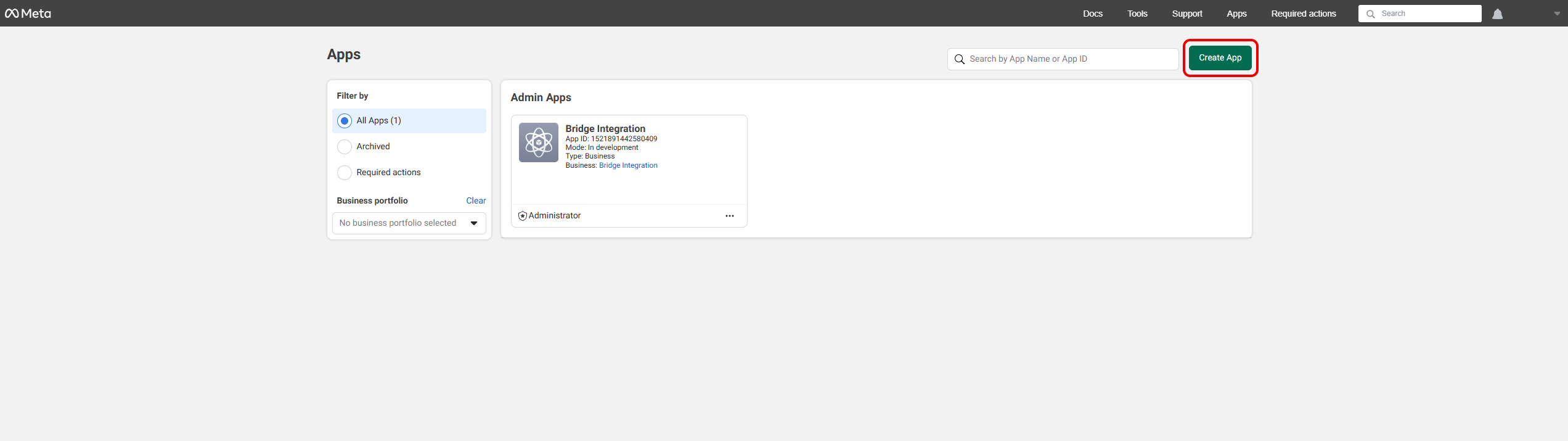
Open the Meta App Dashboard and click Create app.
-
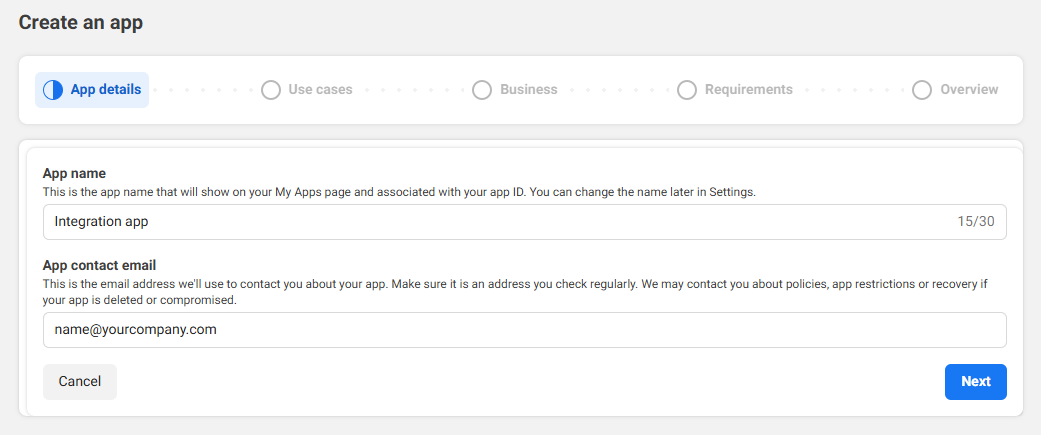
Enter the app name and contact email, then click Next.
-
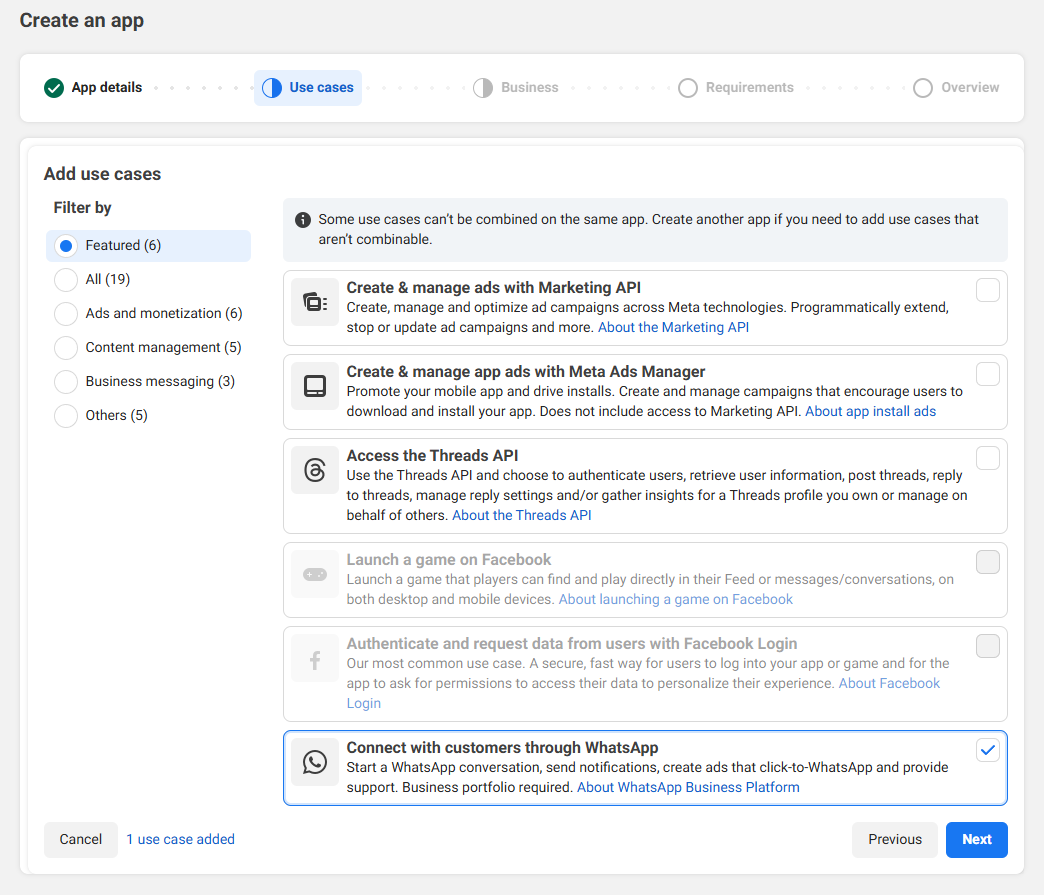
Select the WhatsApp use case (Connect with customers through WhatsApp) and click Next.
-
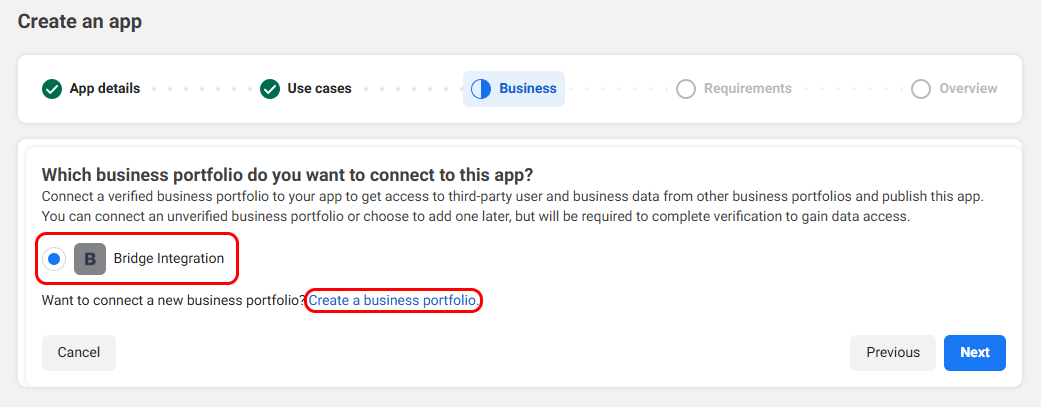
Select an existing business portfolio or create a new one.
-
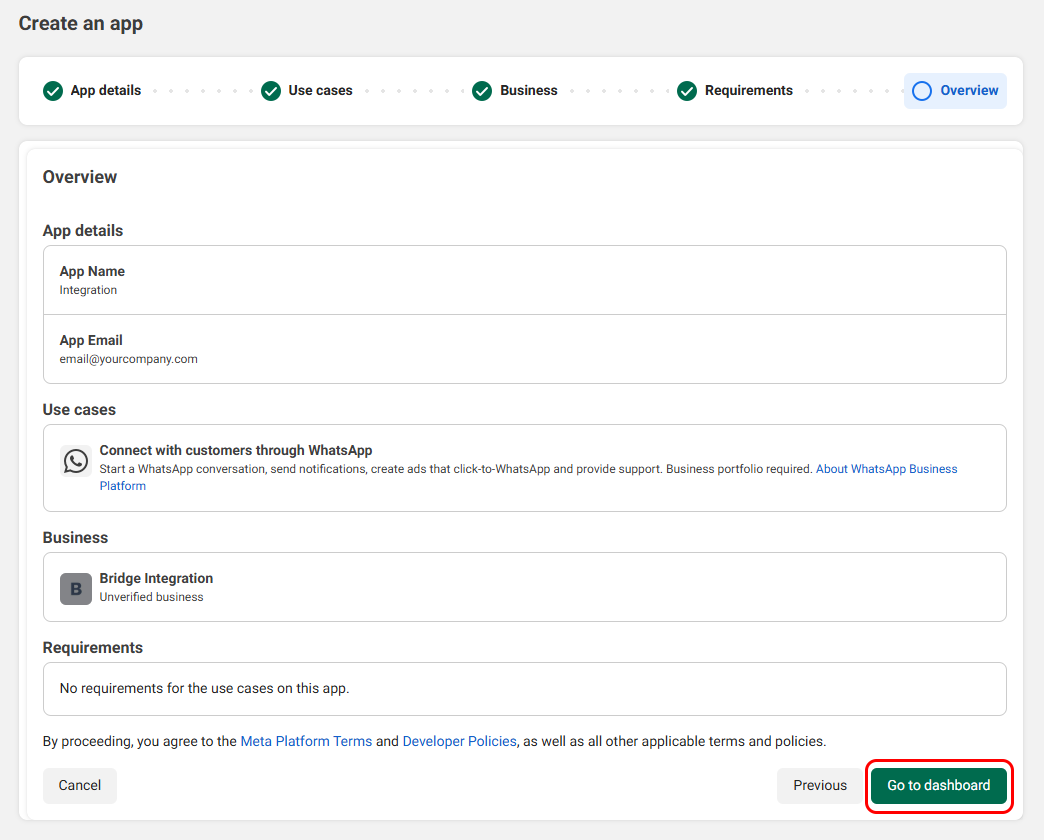
Review the summary and click Go to dashboard. You will land in the app dashboard.
3. Connect a WhatsApp Business Account (WABA)
-
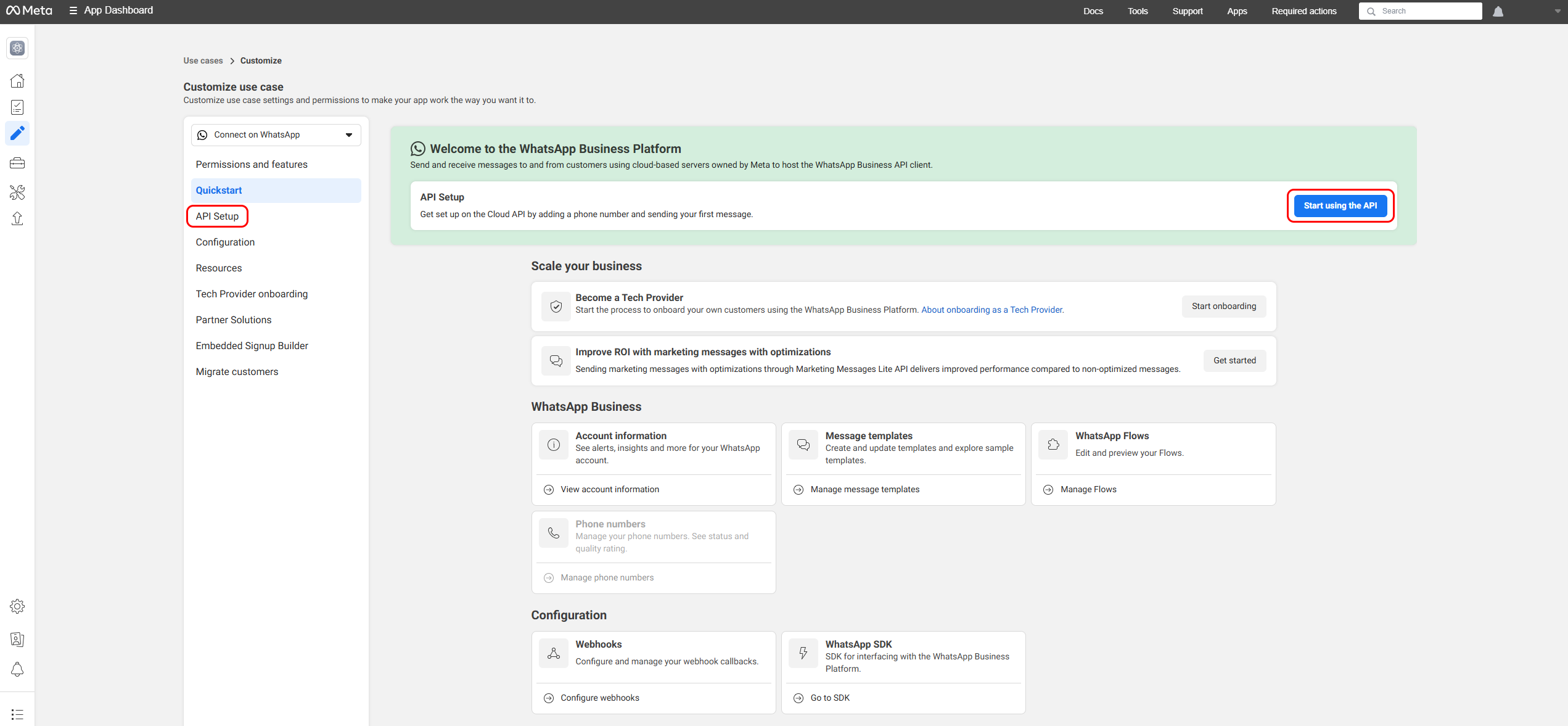
In the app dashboard open WhatsApp → API Setup.
-
Meta automatically creates a WhatsApp Business Account (WABA) for the app. Its WhatsApp Business Account ID is shown on the API Setup page.
-
Meta also provides a test phone number automatically. You can use it right away to check the integration.
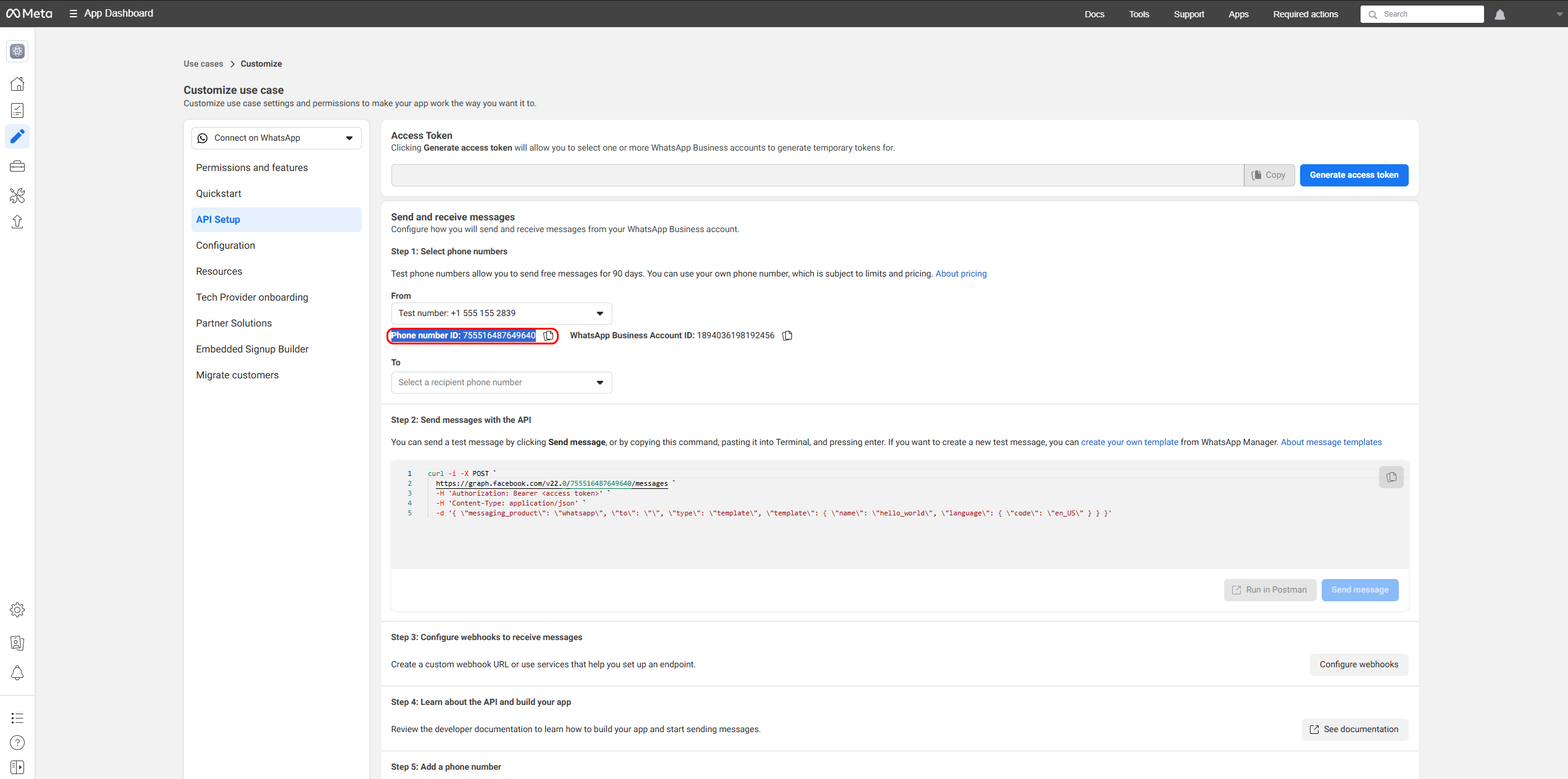
Keep this page open. In the next steps you will return here to copy the WhatsApp Business Account ID and to add a real phone number.
Next: Configure the webhook.